

Workflow
Users can:- View their current balance and transaction history
- Link a UK bank account for withdrawals
- Withdraw their rewards balance
View current balance and transaction history
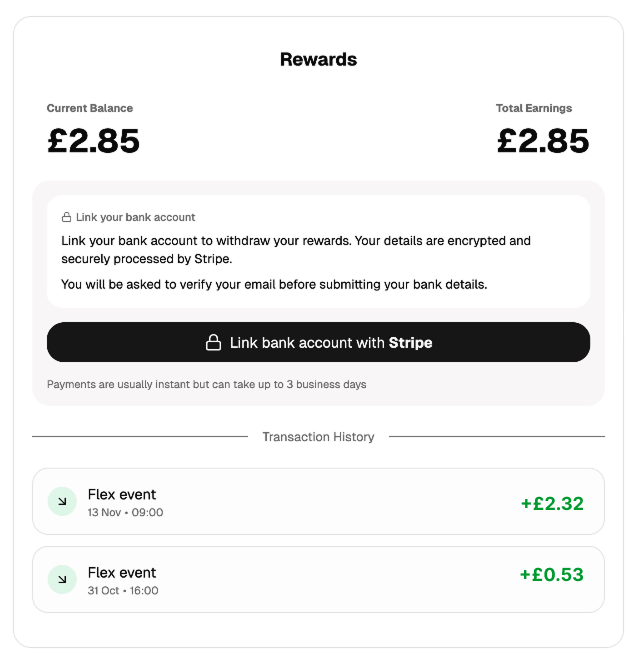
hide_transactions parameter when generating the payments portal URL - see Integration.
Bank account linking
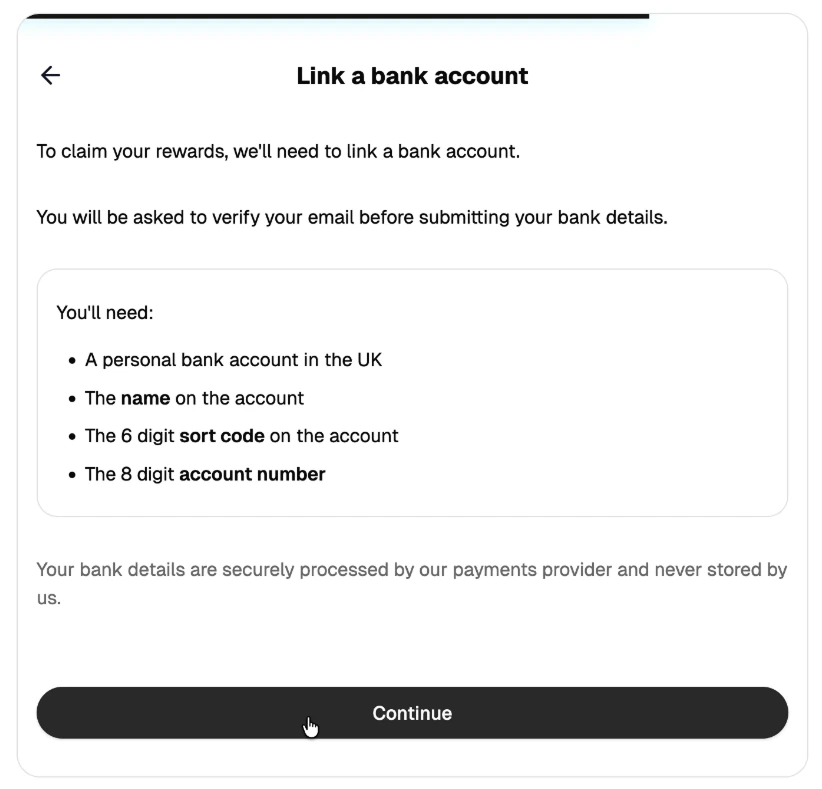
1
Optional 2FA
If 2FA is enabled, users must first complete two-factor authentication before linking a bank account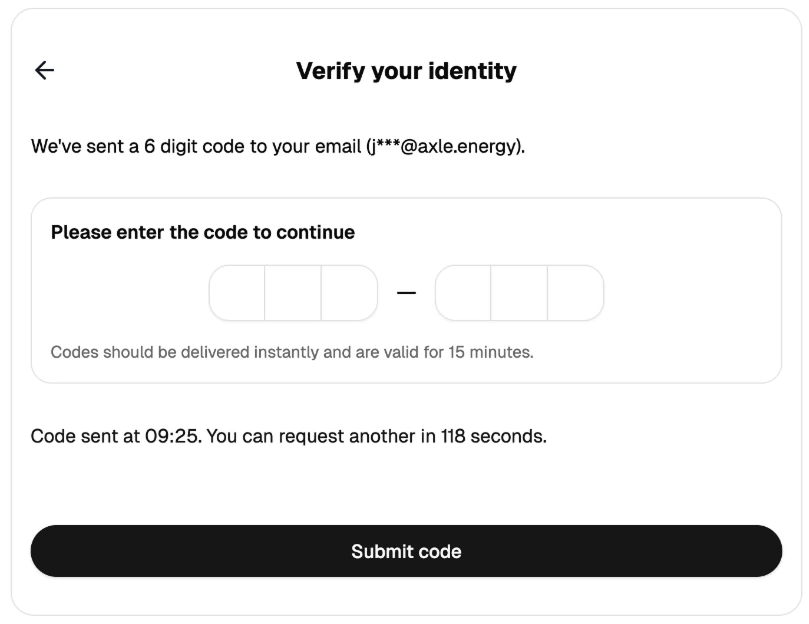
2
Enter bank details and account holder name
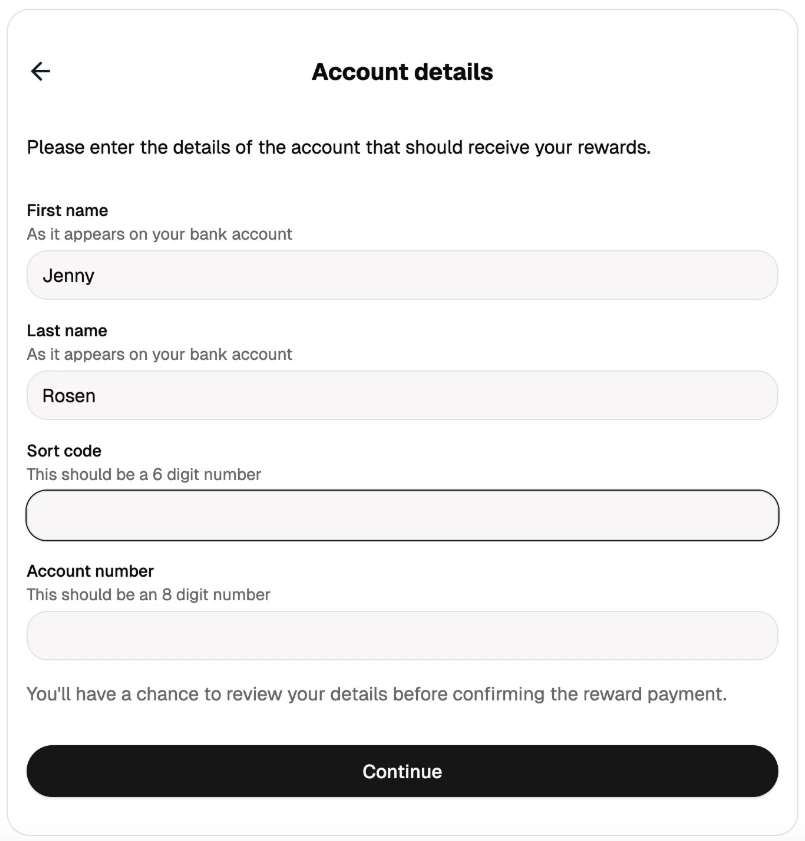
3
CoP verification
Axle performs Confirmation of Payee (CoP) verification
4
Review result
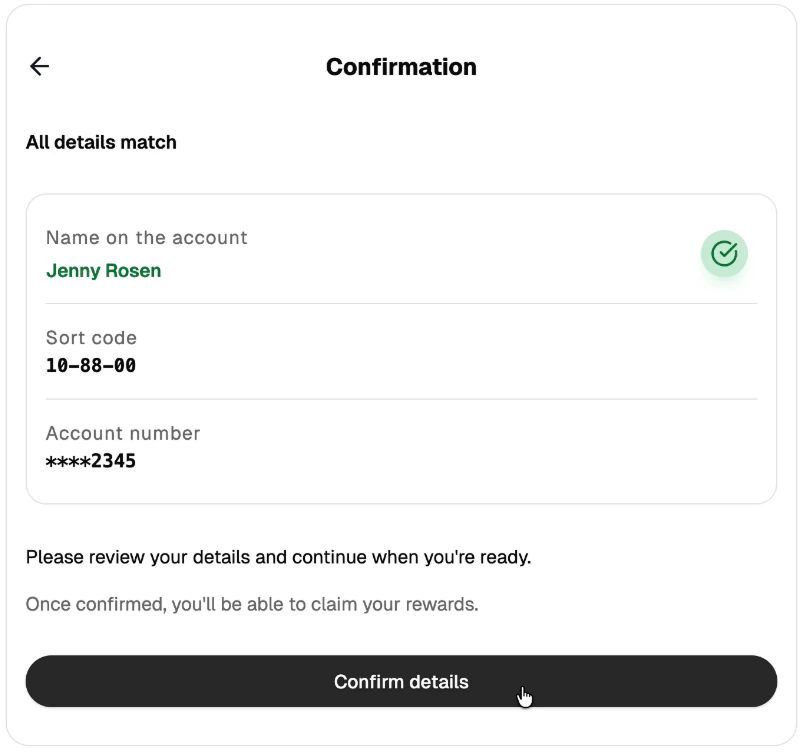
5
Confirm setup
User must click “Confirm” to complete setup
Confirmation of Payee (CoP)
CoP is a UK banking verification service that checks the provided name against the bank’s records. Match States:Withdrawals
How withdrawals work
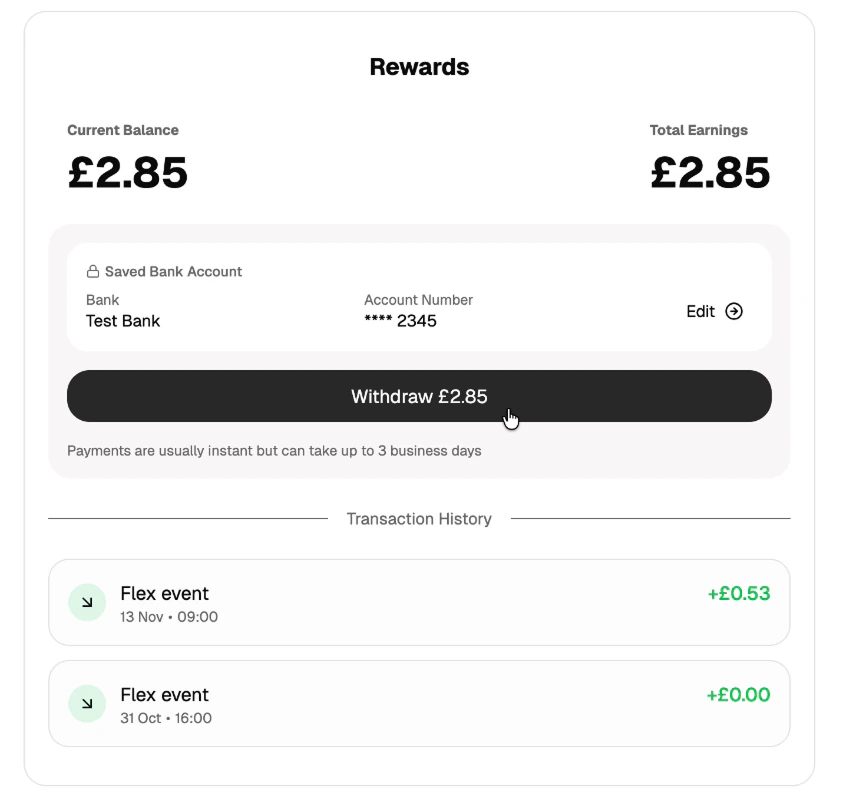
- User clicks “Withdraw” in the payments portal
- Axle initiates a bank transfer to the linked account
- Funds typically arrive within 1-2 business days
- Transaction appears in user’s history as a withdrawal
Withdrawal restrictions
- Minimum threshold: Typically £10 (configurable per organisation)
- Cooldown period: Some organisations require a waiting period before the first withdrawal (configurable)
Payment failures
Payments can fail or be returned for various reasons—incorrect account details, closed accounts, or bank-specific restrictions. See Stripe’s documentation on payout failure codes for a full breakdown of failure reasons. When a payment fails or is returned:- The withdrawal transaction is reversed (balance restored)
- The bank account is archived (user must re-link)
- User receives an email with a link to update their bank details
- The retry link expires after 48 hours